Login logs
This page isn't usually needed for the group you picked under Viewing as. It's shown because you opened it directly.
Organization Settings → Login Logs lists every sign-in and session refresh in your organization. Newest is first.
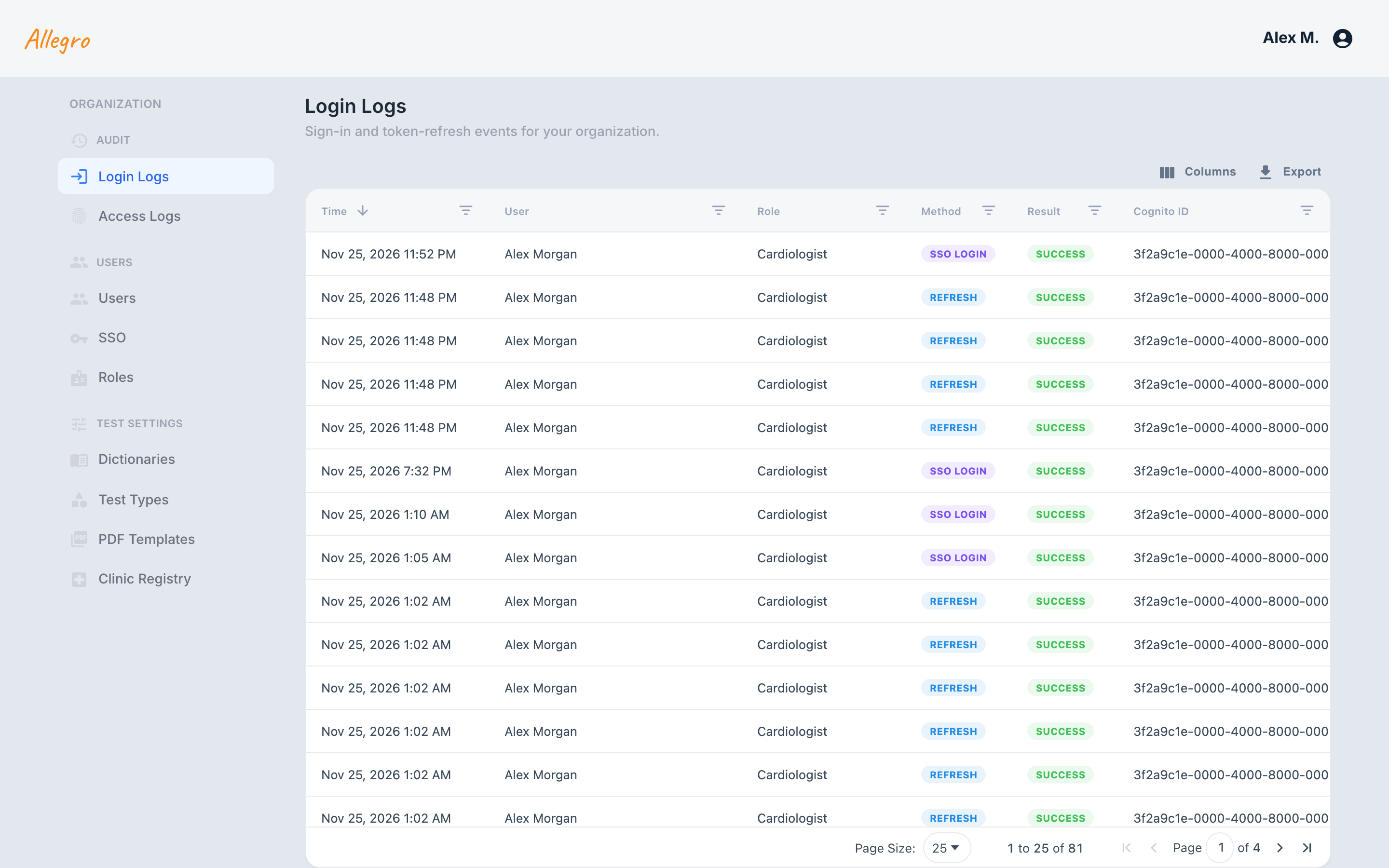
| Column | Shows |
|---|---|
| Time | When it happened. |
| User | Who signed in. |
| Role | Their main role at the time. |
| Method | SSO LOGIN (work account), LOCAL (email and password) or REFRESH (Allegro quietly renewed an open session). |
| Result | SUCCESS or FAILED. |
| Cognito ID | The person’s unique account ID, useful for Allegro support. |
Common questions
Section titled “Common questions”Did someone sign in on a certain day? Use the filter on User, then sort by Time.
Are there failed sign-ins? Filter Result to show FAILED. Many failures in a row for one person may mean a forgotten password or a locked account.
Can I save this? Select Export for a CSV, for example for a privacy audit.