Reassigning a test to another physician
This page isn't usually needed for the group you picked under Viewing as. It's shown because you opened it directly.
Each test can be assigned to one physician, the Tasked Interp. MD. You can assign an unclaimed test or move a test to someone else (for example, when a physician is away).
-
Open the test with Edit Demogr. (see Editing patient details).
-
Under Health Provider Information, select Tasked Interp. MD.
-
Choose the physician from the list.
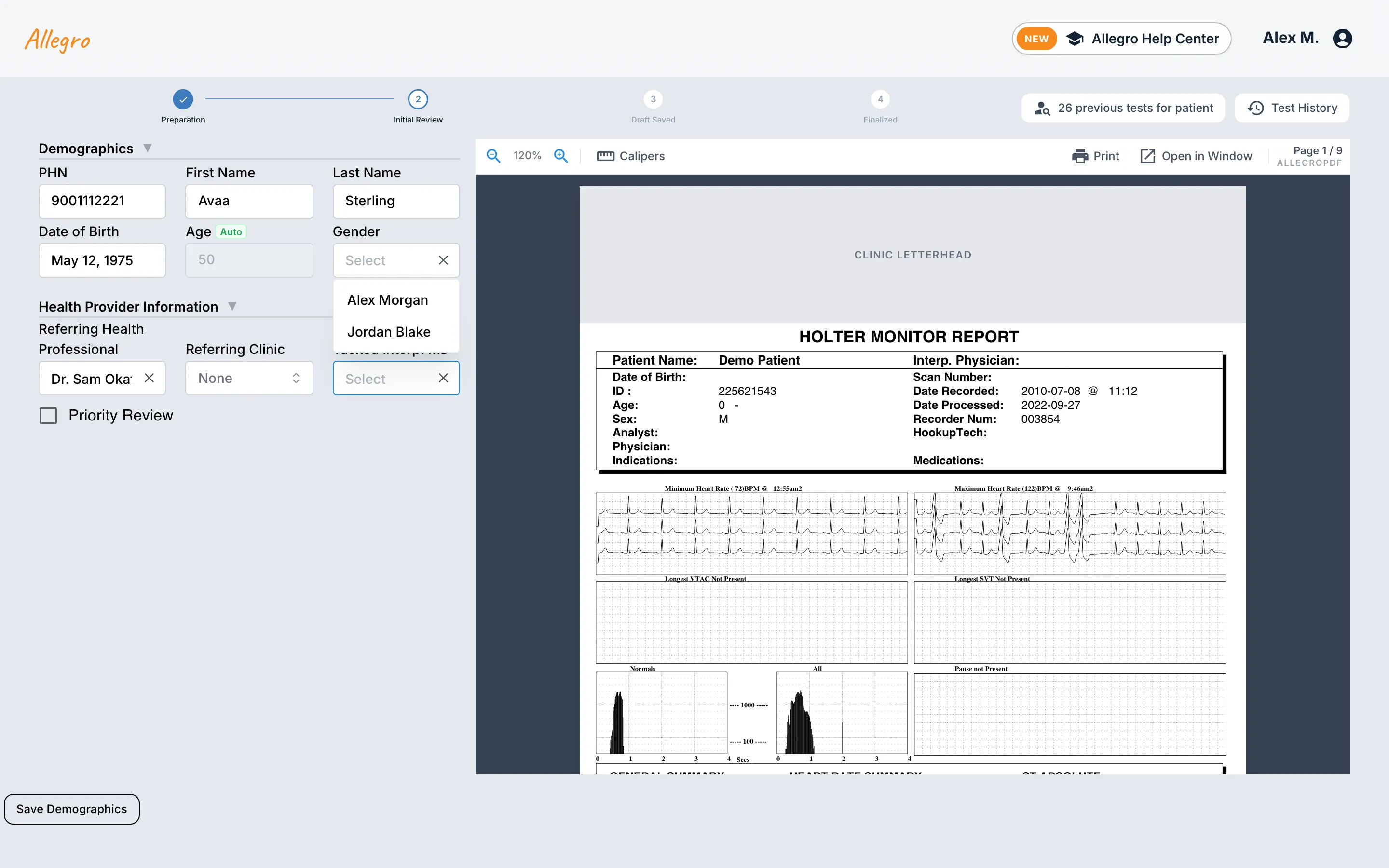
Choosing the physician who will review the test -
Select Save Demographics.
The test now appears in that physician’s MY TESTS list, and the Assigned To column shows their name.
To make a test unclaimed again, clear the field with the × and save.