Single sign-on (SSO)
This page isn't usually needed for the group you picked under Viewing as. It's shown because you opened it directly.
Single sign-on (SSO) lets people sign in to Allegro with their work account (for example Microsoft), with no separate password.
Go to Organization Settings → SSO to see whether it’s on.
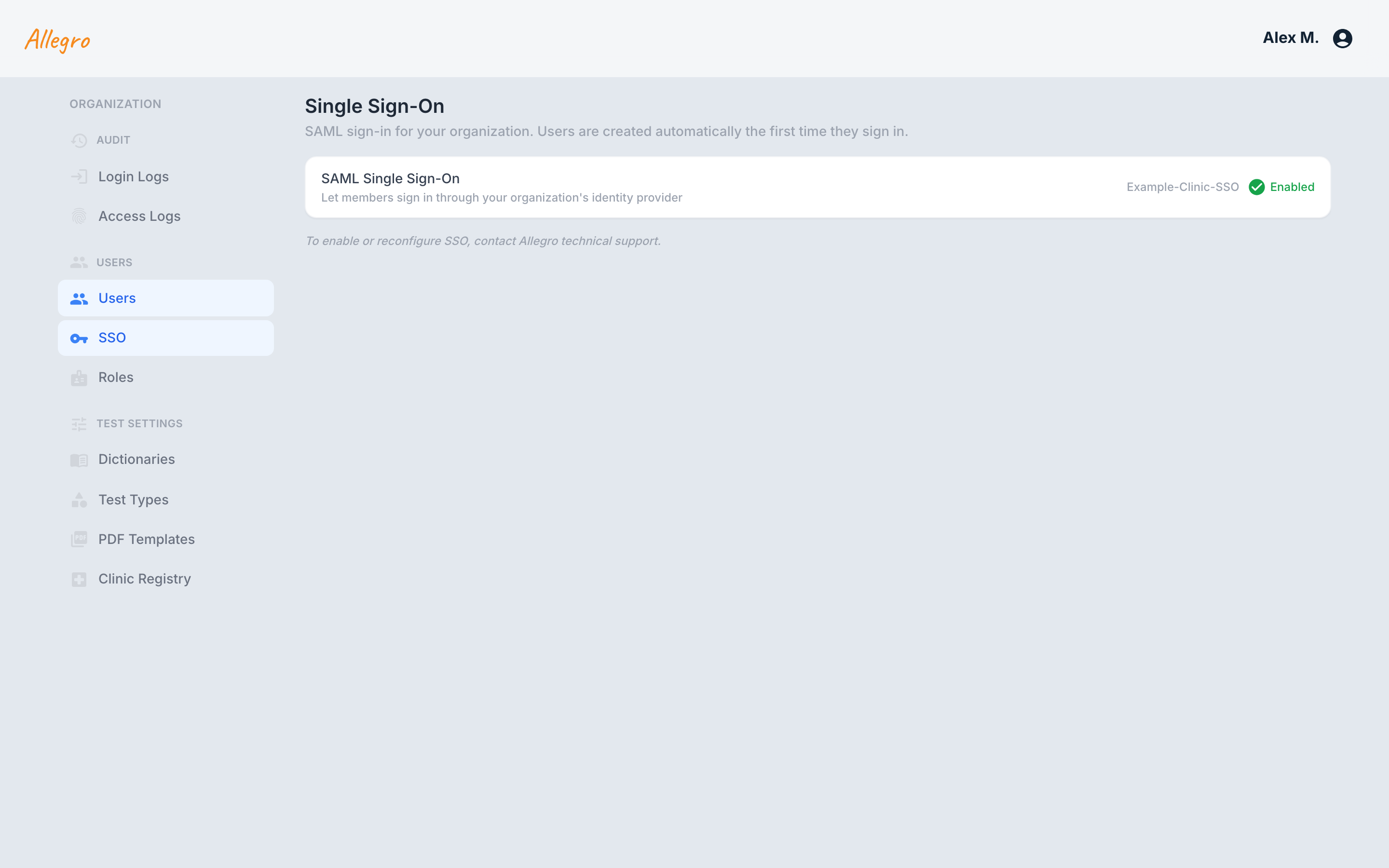
| Shows | Means |
|---|---|
| ✅ Enabled + a provider name | People sign in with their work account. New users are created automatically the first time they sign in. |
| ⛔ Disabled | People sign in with email and password. You add them with Add user. |
Turning SSO on or changing it
Section titled “Turning SSO on or changing it”Contact Allegro technical support. You’ll need your identity provider’s SAML metadata URL. Your IT team can provide it.
How SSO changes other things
Section titled “How SSO changes other things”- Adding users: the Add user button is hidden. People sign in to create their account. More
- Main role: may come from your identity provider. It shows as Set by Cognito on the Users page.
- Removing access: disable the person in Allegro and in your identity provider.
- Login logs show the method as SSO LOGIN; email-and-password sign-ins show LOCAL.