Your account menu
This page isn't usually needed for the group you picked under Viewing as. It's shown because you opened it directly.
Your name in the top-right corner opens your account menu. Hover over it or select it.
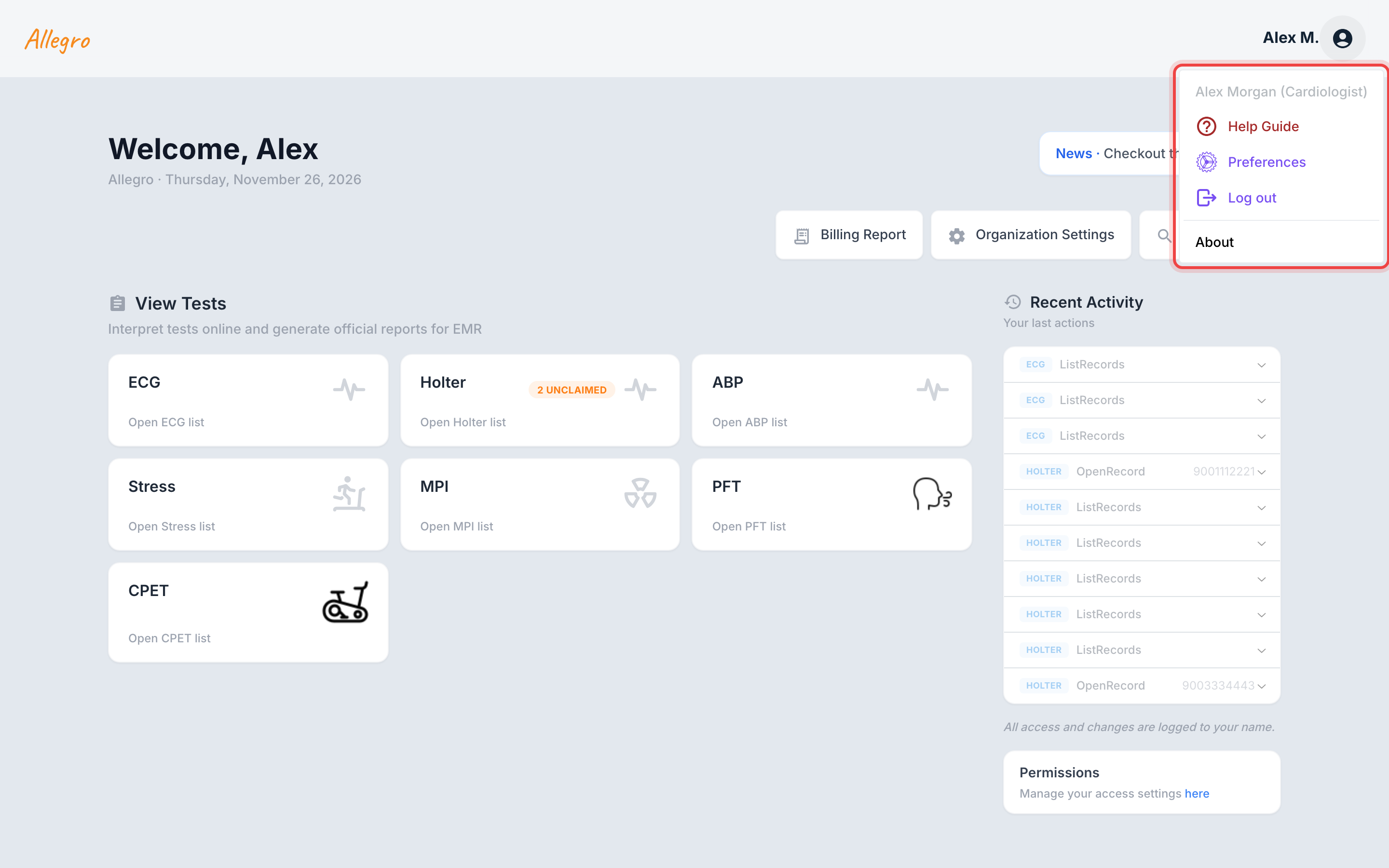
| Item | What it does |
|---|---|
| Your name (role) | Shows who you’re signed in as and your main role. It can’t be selected. |
| Help Guide | Opens Allegro’s built-in quick guide to statuses and buttons. |
| Preferences | Coming soon. |
| Log out | Signs you out of Allegro. |
| About | Shows the Allegro version and company details. |
Log out
Section titled “Log out”-
Hover over your name in the top-right corner.
-
Select Log out.
-
You’re returned to the sign-in page.
The About window
Section titled “The About window”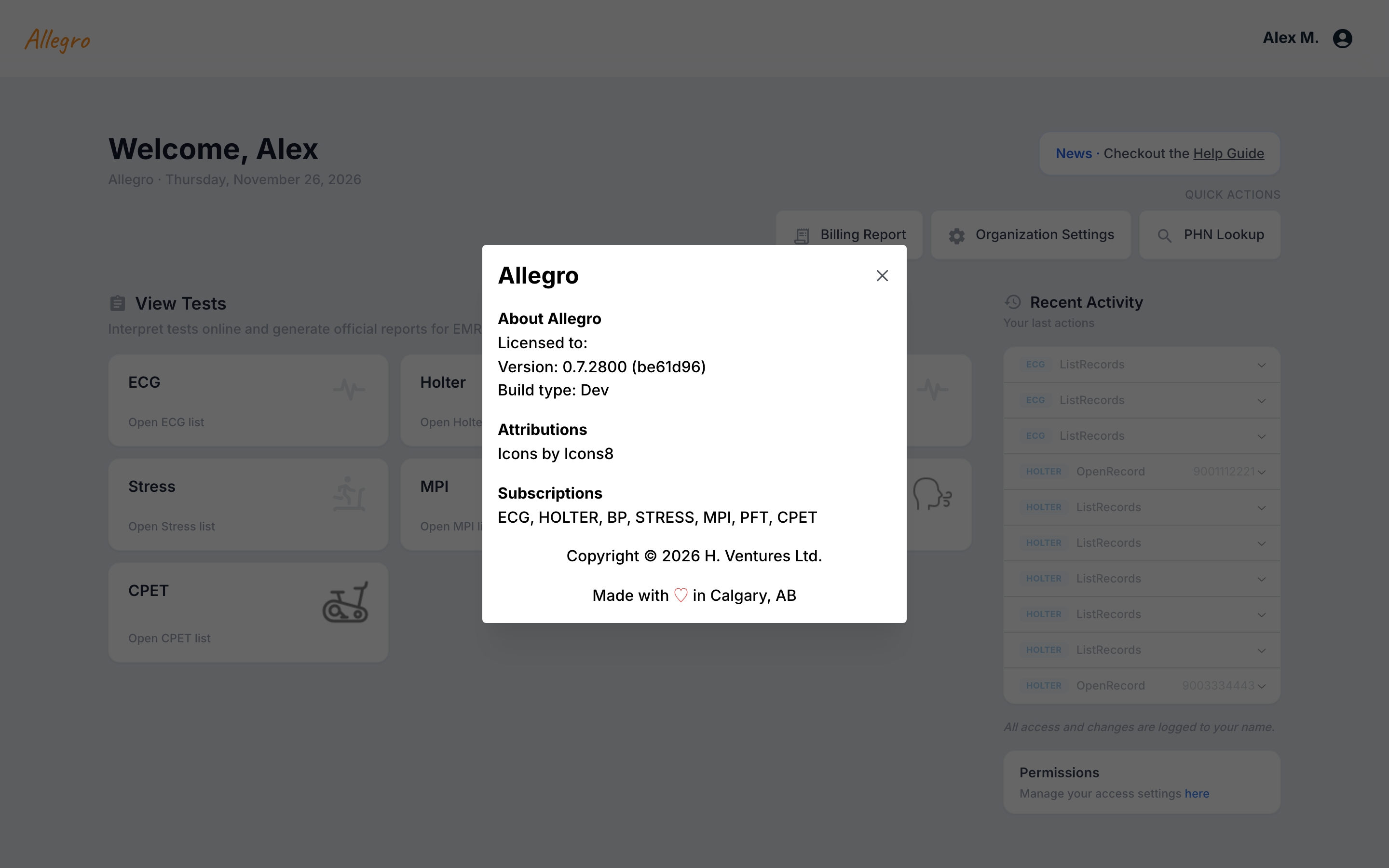
Support may ask for the version number shown here when you report a problem.
The built-in Help Guide
Section titled “The built-in Help Guide”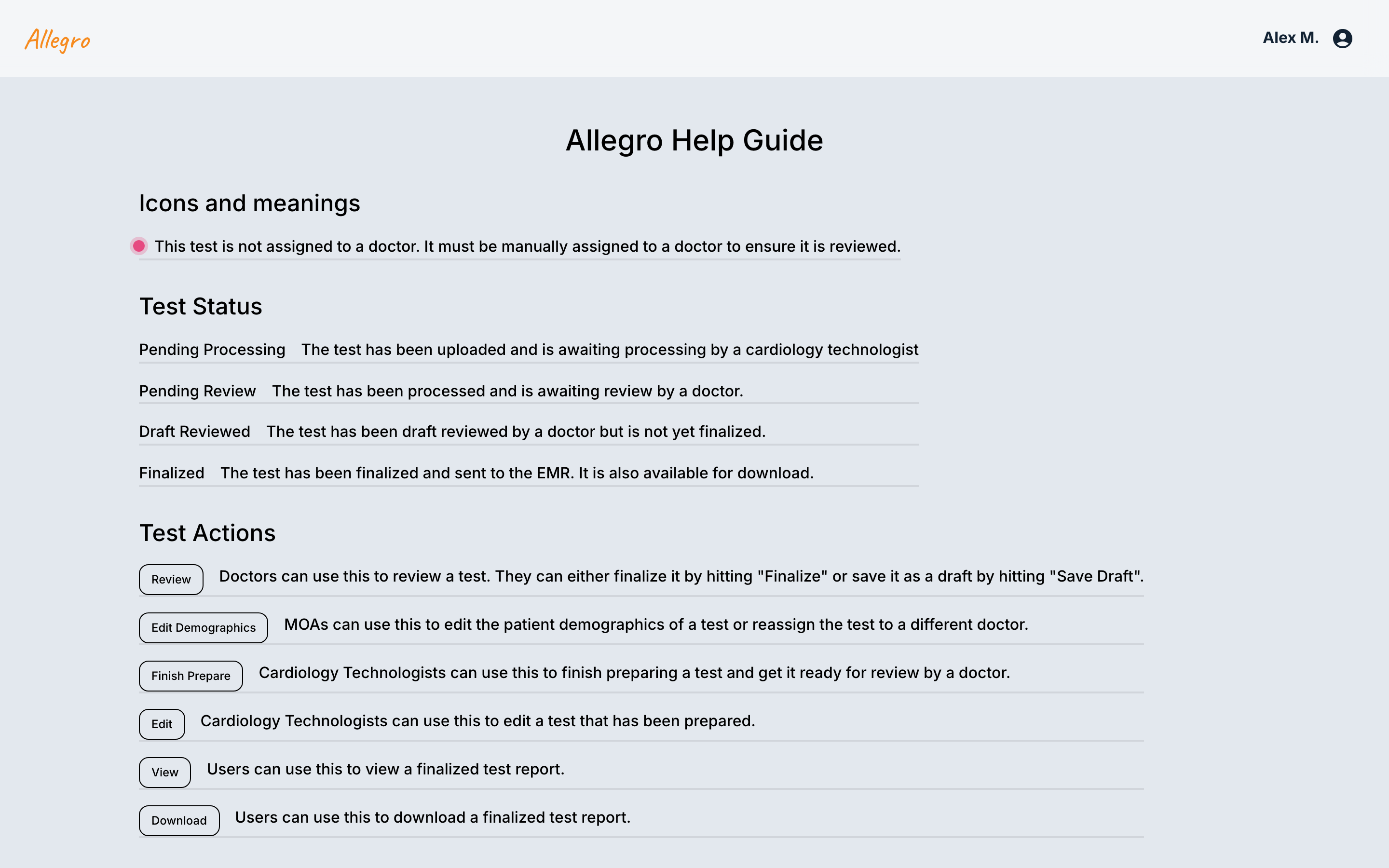
The in-app Help Guide is a short summary. This help center has the full step-by-step guides.