Billing report
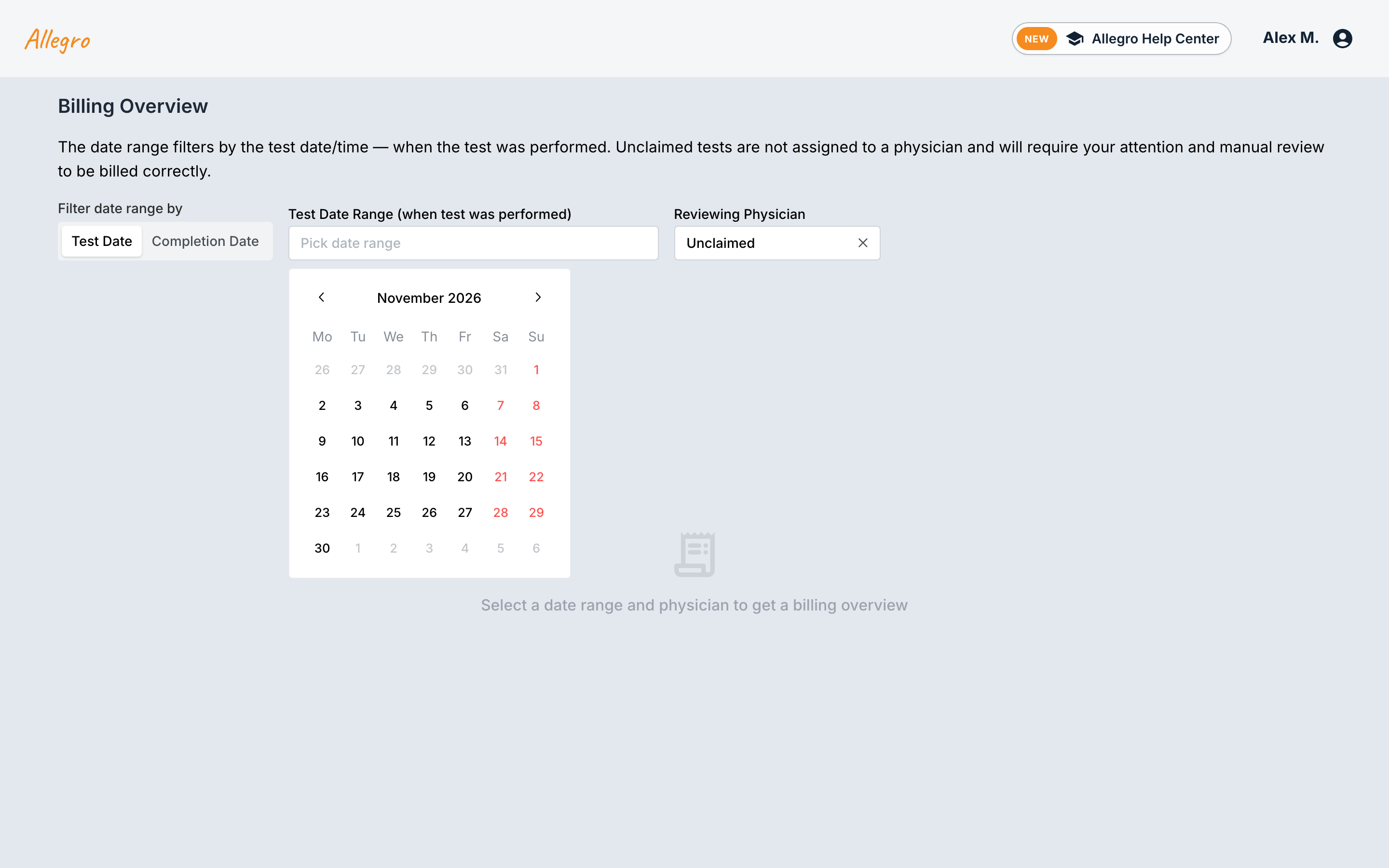
This page isn't usually needed for the group you picked under Viewing as. It's shown because you opened it directly.
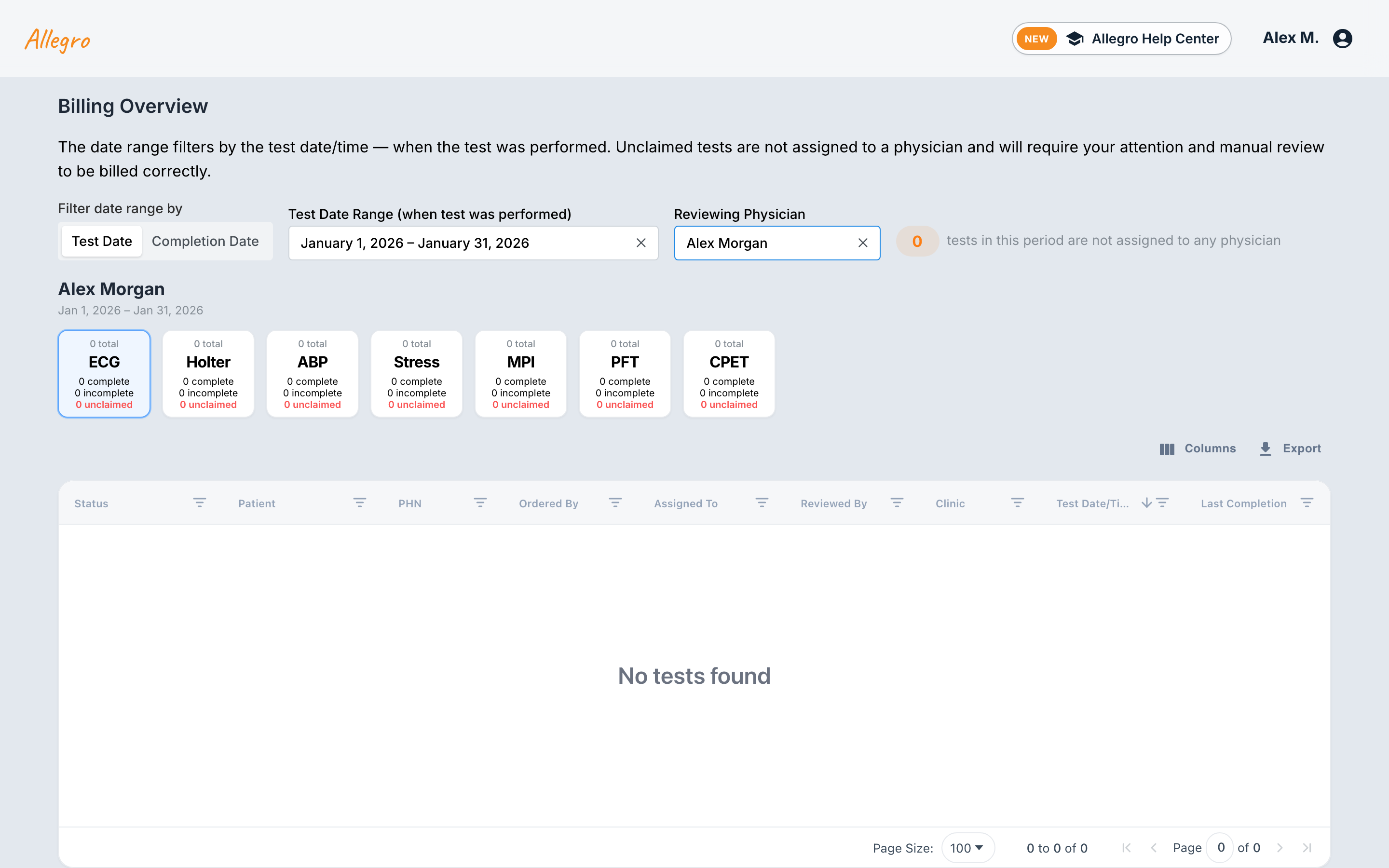
The Billing Overview counts each physician’s tests over a date range, by test type.
-
On the home screen, under Quick Actions, select Billing Report.

Billing Overview before you choose anything -
Under Filter date range by, choose:
- Test Date: when the test was performed, or
- Completion Date: when the test was last finalized.
Choose which date to filter by -
Select the date-range box and pick a start and an end date. The range can be at most 2 months.
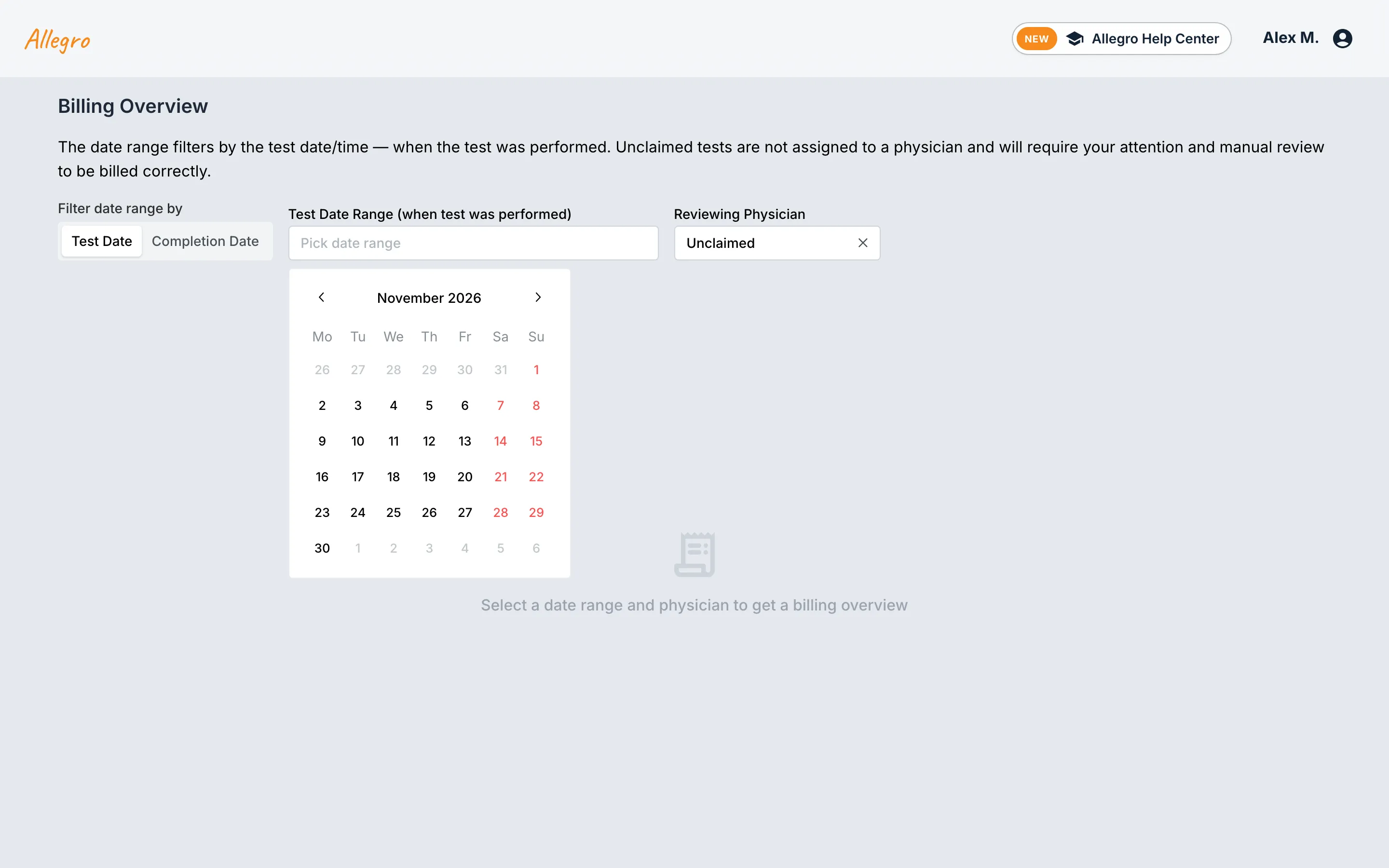
Pick a start and end date -
Choose the Reviewing Physician.
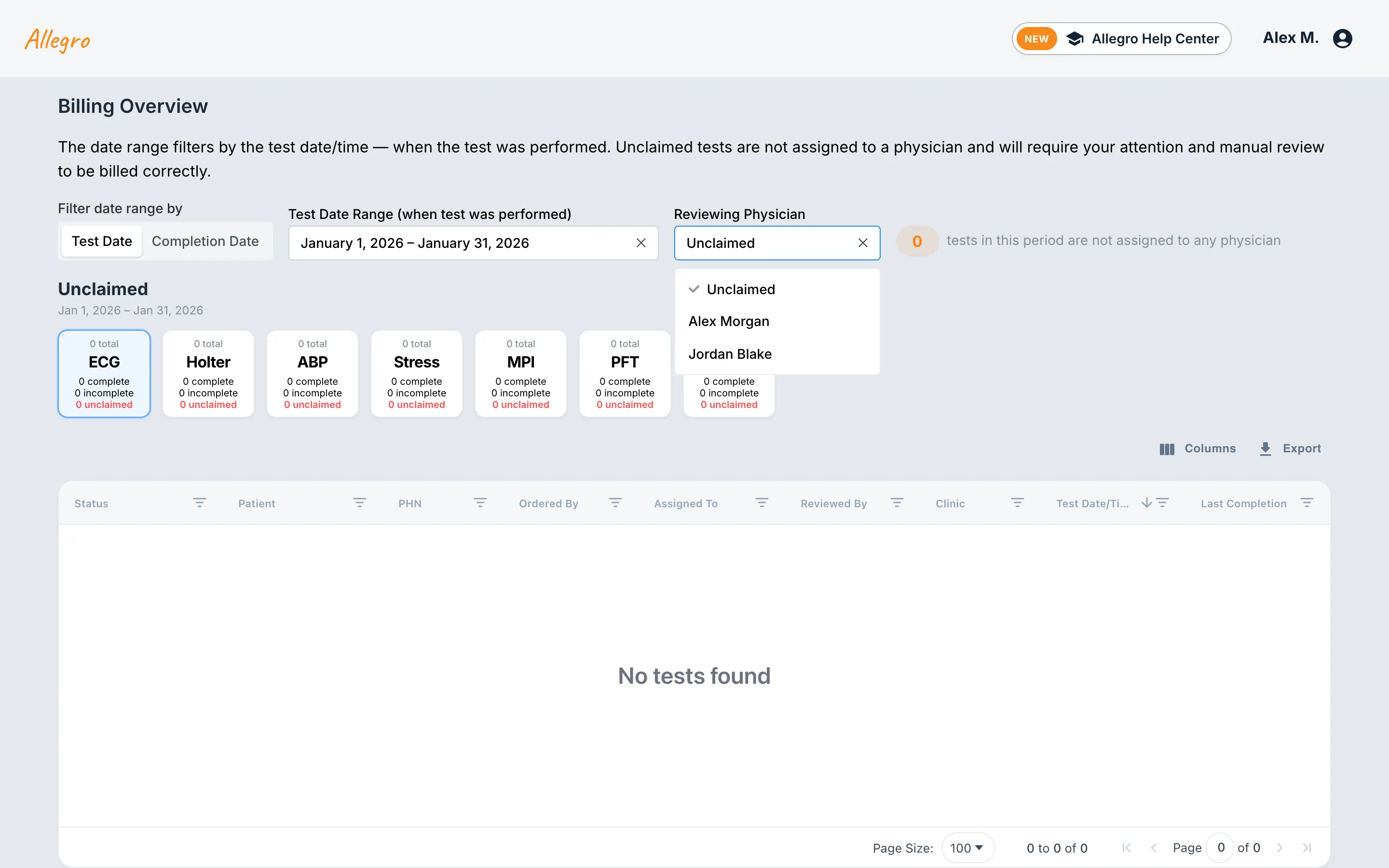
Choose the physician -
The overview appears, with one card per test type showing complete and incomplete counts.

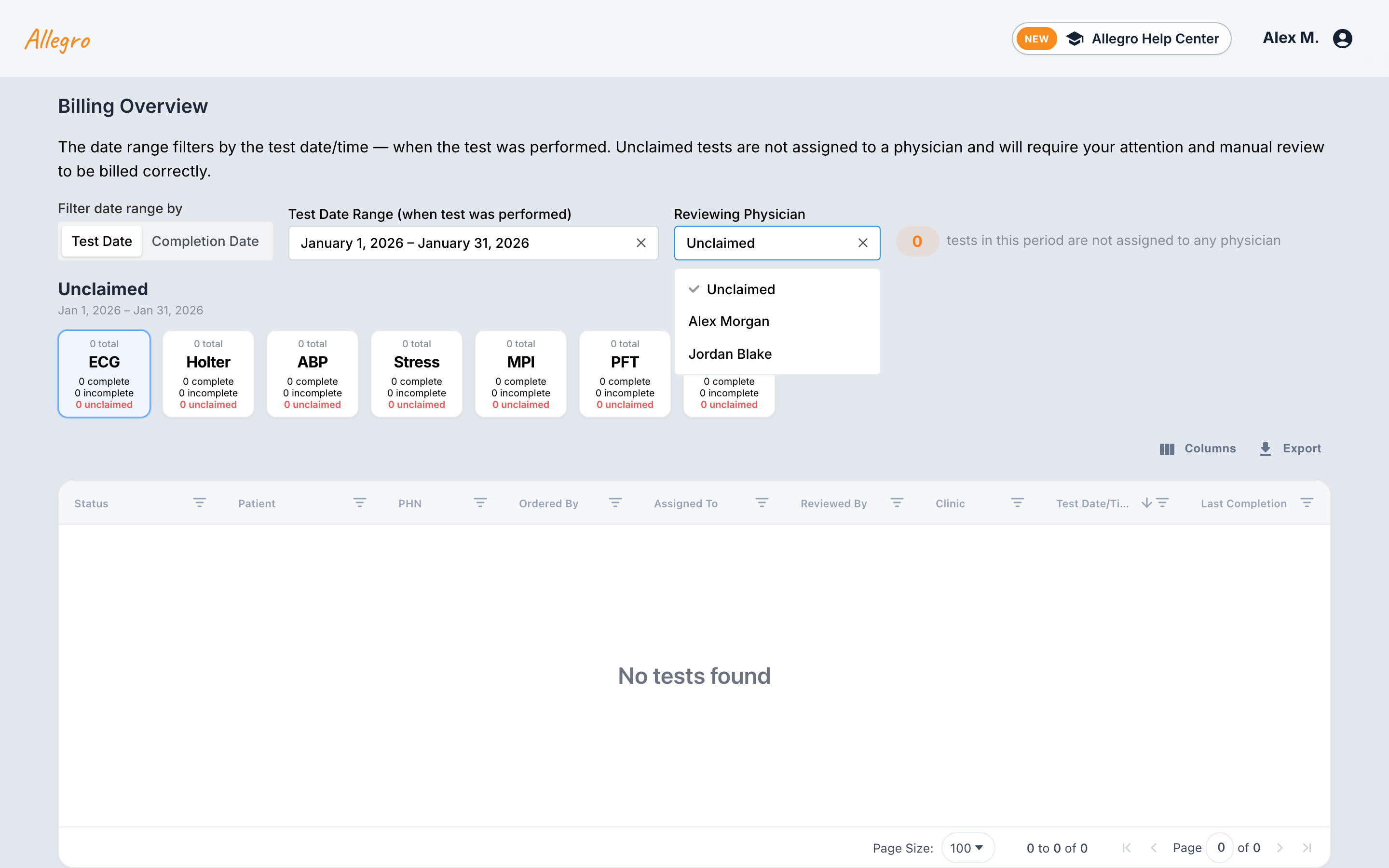
Unclaimed tests
Section titled “Unclaimed tests”The orange number shows how many tests in this period aren’t assigned to any physician. They need your attention: assign them so they’re billed to the right person.
Export
Section titled “Export”Use Export on the test table to download a CSV for your billing software.
“Date range too long”
Section titled ““Date range too long””You picked more than 2 months. Shorten the range.