Statuses and icons
This page isn't usually needed for the group you picked under Viewing as. It's shown because you opened it directly.
Statuses
Section titled “Statuses”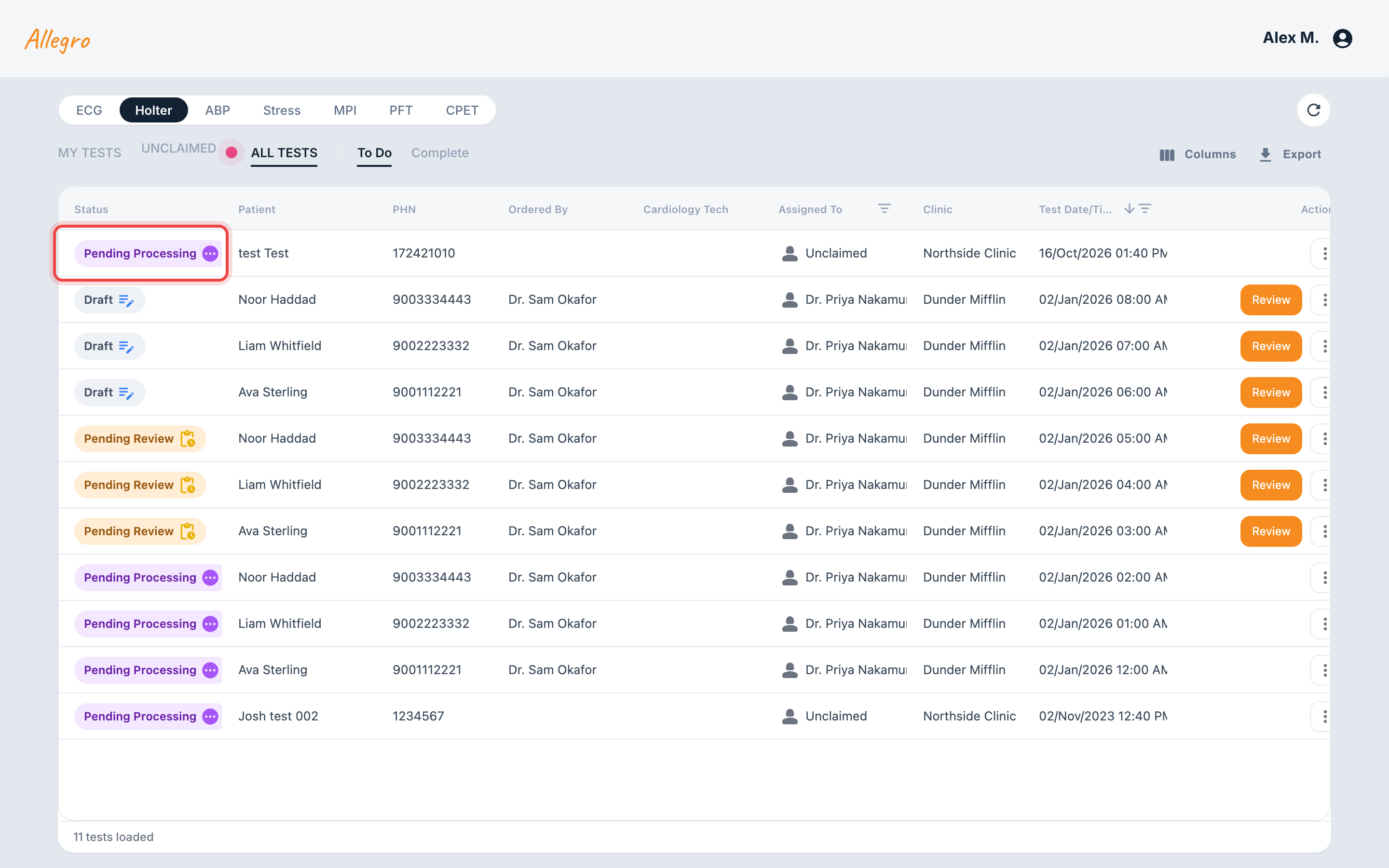
| Status | Colour | Means | Next step |
|---|---|---|---|
| Pending Processing | Purple | The test has arrived and needs a technologist to prepare it. | Prepare it |
| Pending Review | Yellow | Ready for a physician. | Review it |
| Draft | Blue | A physician has started, but not signed. | Finalize it |
| Pending Imaging Review | – | MPI only: waiting for the imaging physician. | Imaging review |
| Finalized | Green | Signed and sent to the EMR. | View |
| Abandoned | Red | Stopped and will never be reviewed. | – |
Hover over any status to see a short explanation.
Extra tags
Section titled “Extra tags”| Tag | Means |
|---|---|
| Amended (×2, ×3…) | The report was changed after it was finalized. The number is how many times. |
| Correction | Patient details were corrected after finalizing, and the test is waiting for the physician to sign off again. |
| Icon | Means |
|---|---|
| 👤 Unclaimed in Assigned To | Nobody is assigned to review this test. A physician claims it by saving a draft. |
| Pink dot next to UNCLAIMED | There are unclaimed tests waiting. |
| “N for you” badge (home screen) | Tests assigned to you that still need your review. |
| “N unclaimed” badge (home screen) | Tests of this type with no physician assigned. |
The progress bar inside a test
Section titled “The progress bar inside a test”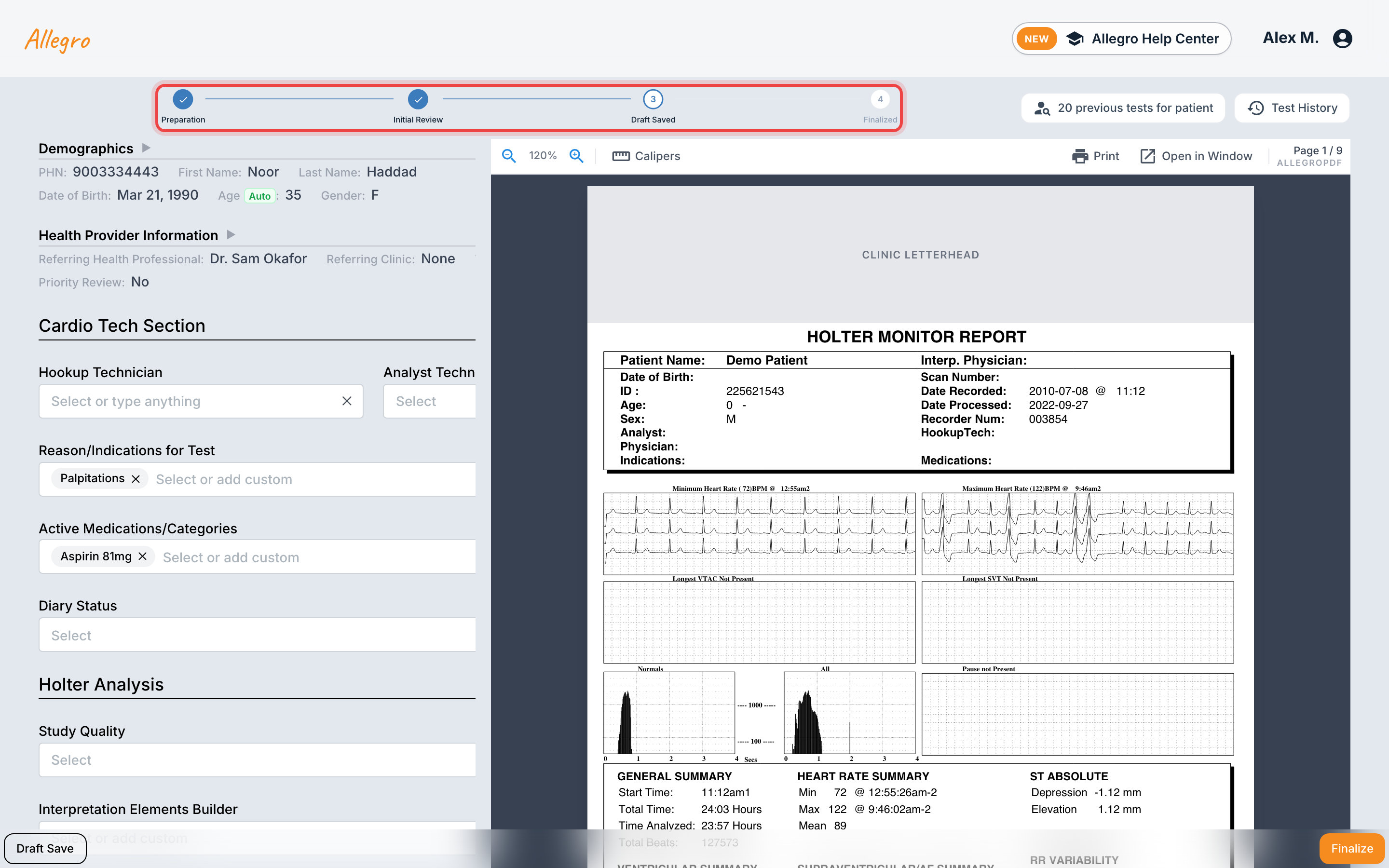
Ticked circles are done. The numbered circle is where the test is now.