Organization settings
This page isn't usually needed for the group you picked under Viewing as. It's shown because you opened it directly.
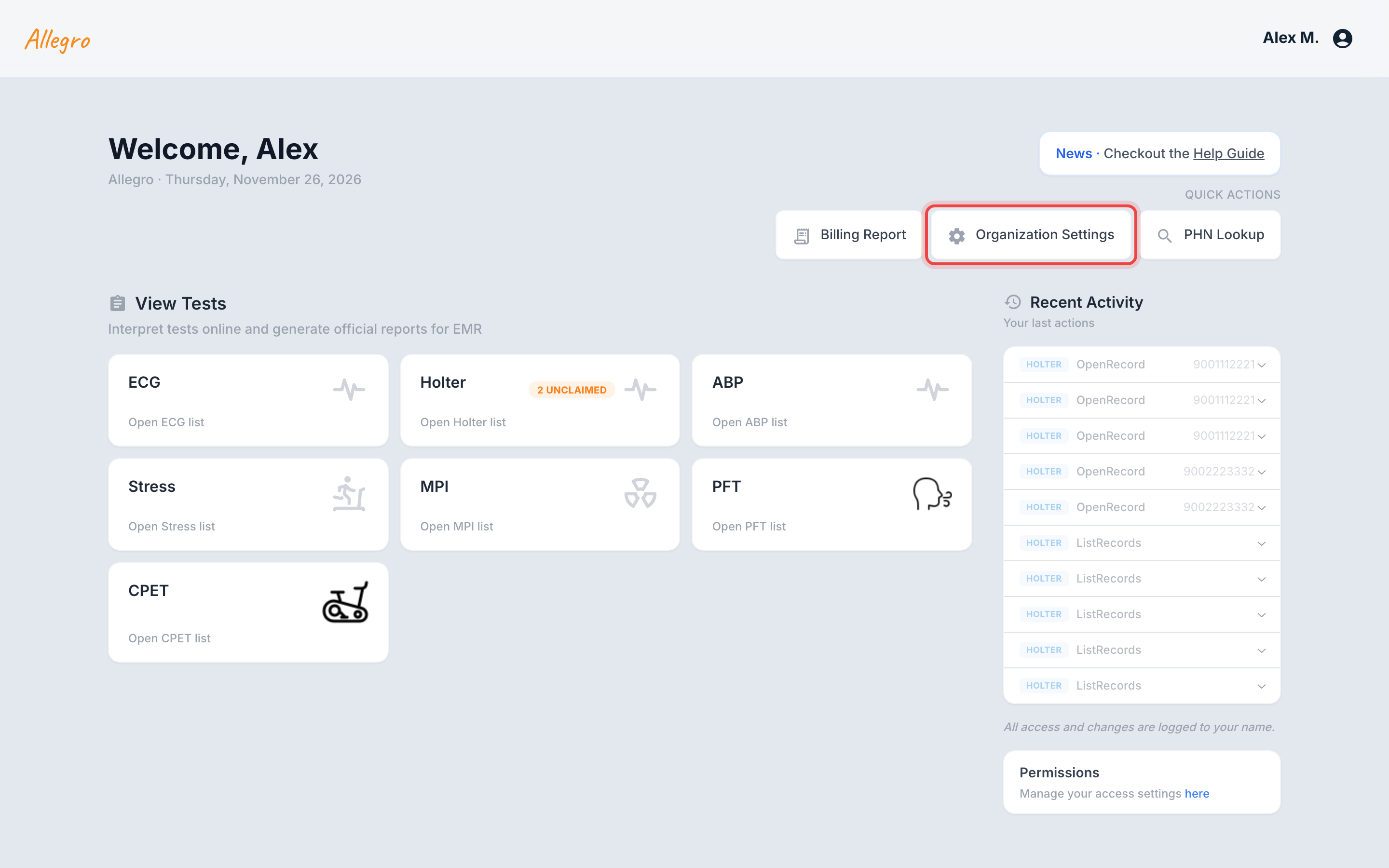
Organization Settings is where administrators manage users, sign-in, audit logs and test settings.
To open it, select Organization Settings under Quick Actions on the home screen.
The menu
Section titled “The menu”The left menu has three groups. You only see the pages your permissions allow.
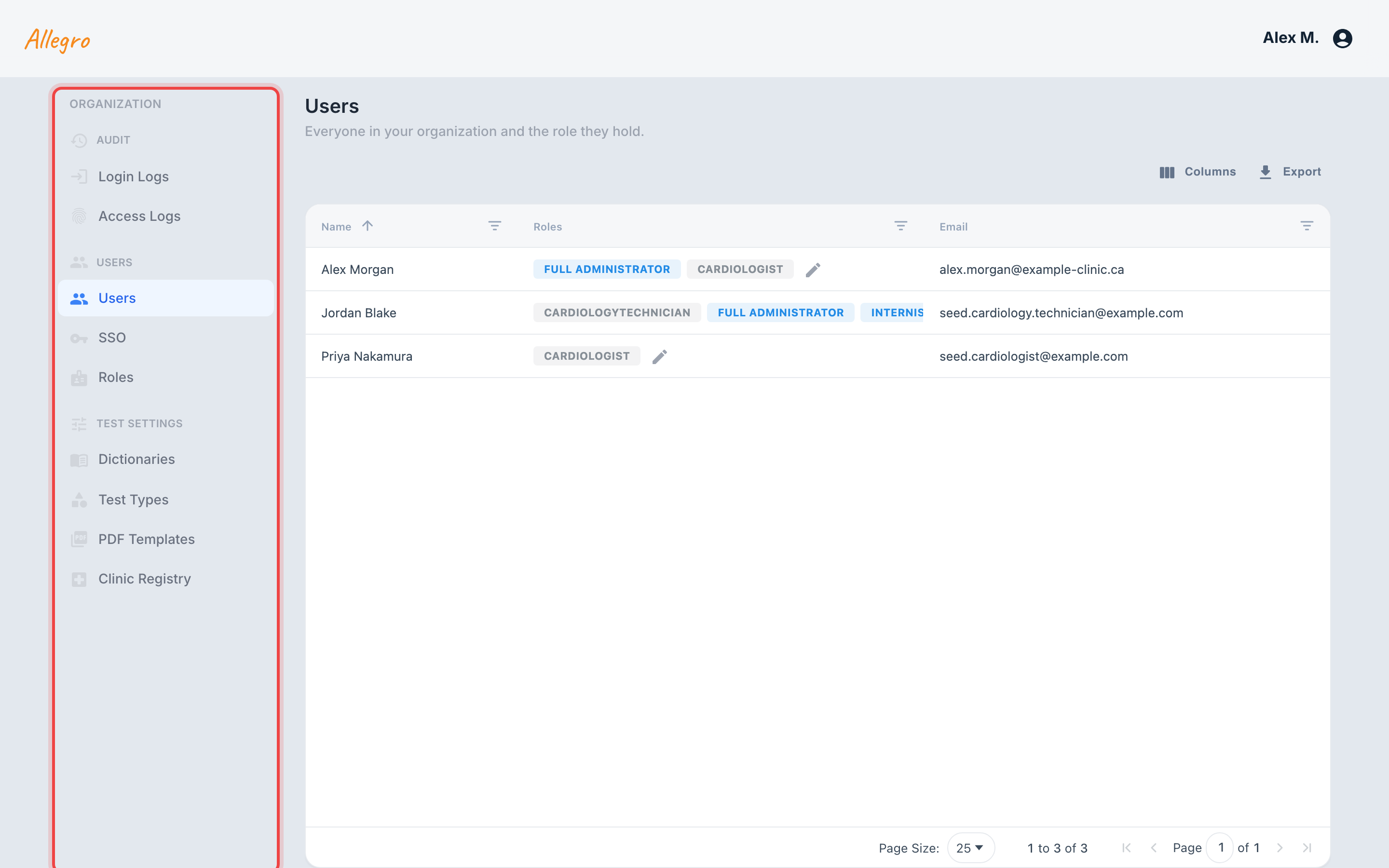
| Group | Page | What it’s for |
|---|---|---|
| Audit | Login Logs | Who signed in, when, and how. |
| Access Logs | Who opened, changed or finalized which records. | |
| Users | Users | Add people, change roles, disable accounts. |
| SSO | Single sign-on status. | |
| Roles | Roles in your organization and how many people hold each. | |
| Test Settings | Dictionaries | Pick-list phrases for each field. |
| Test Types | Which test types you use, and their workflow. | |
| PDF Templates | Report layouts for finalized tests. | |
| Clinic Registry | Referring clinics and fax numbers. |
View-only vs. edit
Section titled “View-only vs. edit”Each page has two permissions: one to see it and one to change it. If you can see a page but its buttons are missing, you have view-only access. See Permissions reference.
Lists in settings
Section titled “Lists in settings”Most settings pages use the same kind of table as the test lists:
- Select a column header to sort. The filter icon filters.
- Columns shows or hides columns.
- Export downloads a CSV.
- Page Size and the arrows at the bottom move between pages.