Saving a draft
This page isn't usually needed for the group you picked under Viewing as. It's shown because you opened it directly.
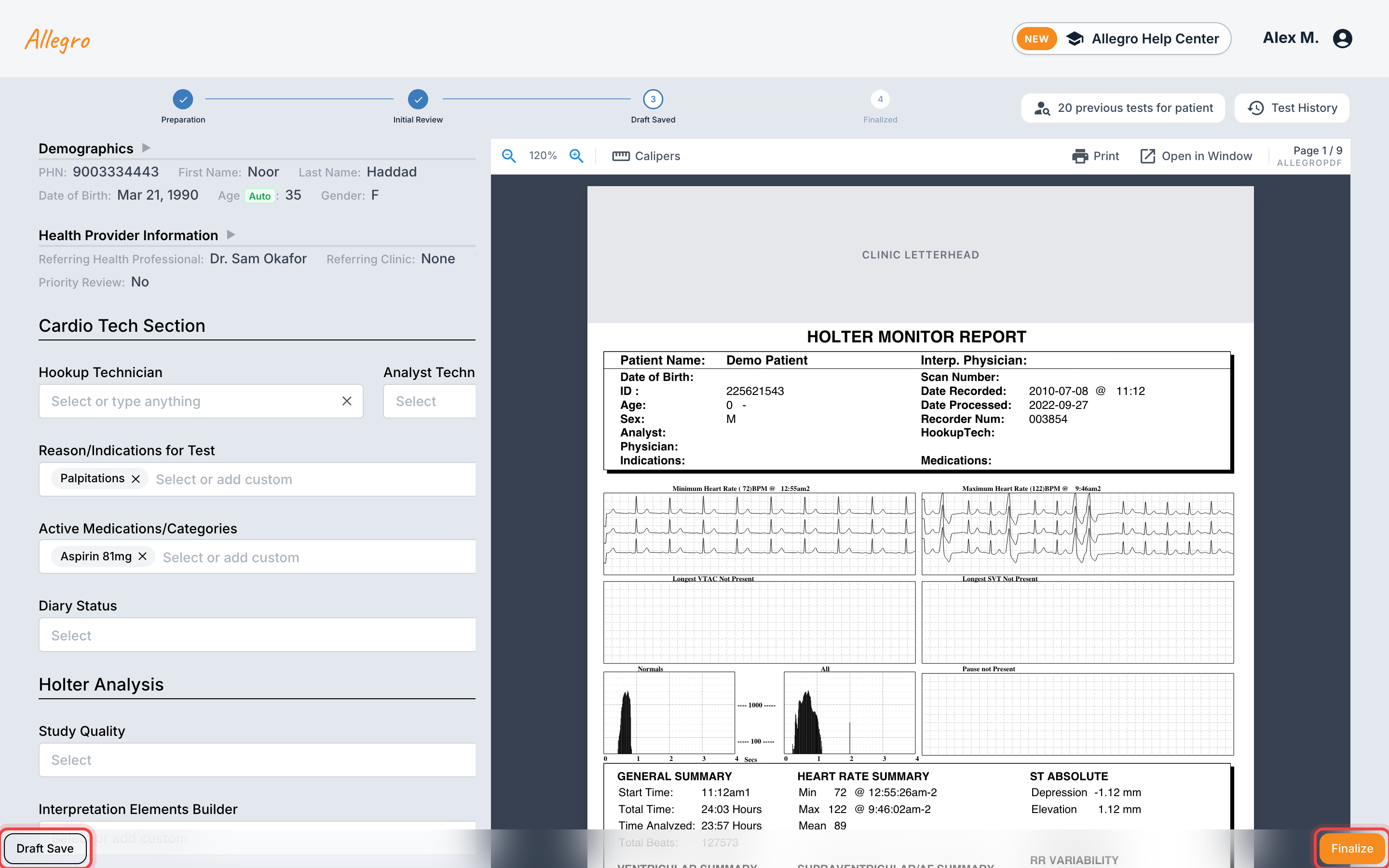
A draft saves your interpretation without signing it or sending anything to the EMR. You (or another physician) can come back and finish it later.
-
On the review screen, fill in as much as you want.
-
Select Draft Save in the bottom-left corner.
-
Allegro confirms the save. The test’s status becomes Draft and the progress bar moves to Draft Saved.
What a draft does
Section titled “What a draft does”- Claims the test. If it was unclaimed, it’s now assigned to you.
- Keeps it in To Do. The test stays in your MY TESTS → To Do list until it’s finalized.
- Shows who drafted it. The next person to open it sees “This test was draft reviewed by …”.
Residents
Section titled “Residents”Cardiology residents can save drafts but can’t finalize. A staff physician opens the draft, checks it, and finalizes it.
Coming back to a draft
Section titled “Coming back to a draft”Open the test list, find the test (status Draft), and select Review. Everything you saved is still there.